Remote Access Security Best Practices: A Complete Guide
Practical guide to remote access security covering VPN, SSH, and RDP hardening; zero-trust implementation; and session monitoring to stop credential-based attacks.

What Is Remote Access Security?
In May 2021, the Colonial Pipeline ransomware attack traced back to a single compromised VPN account that lacked multi-factor authentication. That one gap shut down pipeline operations for several days and led to a reported $4.4 million ransom payment. The U.S. Department of Justice later seized approximately 63.7 Bitcoin, valued at about $2.3 million at the time, tied to that ransom.
Remote access security is the layered protection framework you build around every connection between external users, devices, and your internal enterprise resources. It covers the policies, technologies, and controls governing how employees, contractors, and third parties connect to corporate systems from outside your network perimeter. That includes every VPN tunnel, SSH session, RDP connection, and cloud application login your distributed workforce uses daily.
According to the 2025 Verizon DBIR, stolen credentials were involved in 22% of all confirmed breaches. The SANS Institute found that among organizations experiencing security incidents, 50% of those incidents originated from external connectivity or remote access pathways. Together, these figures confirm that remote access pathways remain one of the most targeted entry points for enterprise breaches.
NIST SP 800-46 defines remote access security as encompassing "enterprise telework, remote access, and bring your own device (BYOD)" environments. NIST mandates that all components of these technologies, including BYOD client devices, should be secured against expected threats as identified through threat models.
To make that mandate operational, you need to understand where remote access fits inside your broader cybersecurity model.
.jpg?width=2560&quality=90&format=auto)
Why Remote Access Security Matters
Remote access security sits at the intersection of identity management, network security, and endpoint protection. The NIST Cybersecurity Framework positions it within the "Protect (PR)" function under "Identity Management, Authentication, and Access Control (PR.AA)" as a foundational control domain. Every VPN endpoint, jump server, and remote desktop gateway represents an entry point that attackers actively target.
For a refresher on the foundational terms referenced throughout this guide, see SentinelOne's Cybersecurity 101 library. With that baseline set, understanding the specific attack patterns targeting remote access pathways helps you prioritize where to harden first.
Common Remote Access Security Risks
Attackers treat remote access infrastructure as a primary entry point, not a secondary one. Understanding the specific threat patterns helps you prioritize hardening where it matters most.
- VPN and perimeter appliance exploitation: VPN gateways and firewalls sit at the network edge, making them high-value targets for both nation-state groups and ransomware operators. CISA's 2023 Top Routinely Exploited Vulnerabilities advisory shows that the majority of the most frequently exploited CVEs that year were initially exploited as zero-days, with products from Citrix, Fortinet, and Ivanti featured prominently. In 2024, the pattern continued: CISA issued a joint advisory after threat actors chained multiple Ivanti Connect Secure vulnerabilities to bypass authentication, implant web shells, and harvest credentials. Attackers then moved laterally using tools native to the appliances themselves, including RDP, SSH, and nmap.
- Credential theft and brute-force attacks: Stolen credentials remain the most common way attackers gain remote access. As noted in the introduction, nearly a quarter of all confirmed breaches involve stolen credentials, and brute-force and credential-stuffing attacks against RDP, VPN portals, and SSH endpoints are constant. Over 85% of organizations have RDP accessible via the internet for at least 25% of any given month, which gives attackers a persistent target for password-spraying campaigns.
- Session hijacking and post-authentication abuse: Authentication alone does not eliminate the risk. Attackers who obtain valid session tokens or cookies can bypass MFA entirely. Citrix NetScaler's CVE-2023-4966 ("CitrixBleed") allowed session token leakage, giving attackers authenticated access without ever supplying credentials. Once inside, lateral movement through RDP, SMB, and administrative tools is the standard playbook. Sophos incident response data shows that attackers hijacked RDP for lateral movement in 69% of investigated incidents, making it the most abused protocol during that phase.
- Third-party and vendor access abuse: Contractors, managed service providers, and supply-chain vendors with remote access credentials represent a distinct threat category. Third-party connections accounted for 35.5% of all reported breaches in 2024, up 6.5% from the prior year. The risk compounds because vendor accounts often carry broad permissions, lack session monitoring, and remain active long after a project ends. The 2023 Caesars Entertainment breach illustrated this pattern: attackers used social engineering against an outsourced IT support vendor to gain initial access, resulting in approximately $15 million in costs.
- Remote access tool supply-chain attacks: Attackers also target the tools themselves. The 2024 exploitation of ScreenConnect vulnerabilities (CVE-2024-1708 and CVE-2024-1709) showed how quickly remote management platforms become attack vectors. Ransomware groups including Black Basta and Bl00dy began exploiting these flaws within days, using the tools' built-in capabilities to spread malware across connected endpoints. When your remote access platform is compromised, every device it manages becomes reachable.
Each of these threat patterns maps to a specific set of hardening steps. The best practices below address them protocol by protocol.
Remote Access Security Best Practices
Most remote access programs fail at the operational seams, not the technology layer. VPN logs often capture connect and disconnect events without resource-level context, creating blind spots. Treating VPN plus MFA as the finish line is one of the most common mistakes: without segmentation, device compliance, and session monitoring, lateral movement after login remains wide open. The practices below are protocol-focused remote access best practices you can apply without rewriting your entire architecture in a single sprint.
VPN Hardening
Follow the NSA/CISA VPN hardening guidance:
- Enforce IKEv2/IPsec with AES-GCM-256 encryption per CNSA Suite requirements
- Eliminate legacy cipher suites and deprecated Diffie-Hellman groups
- Enforce MFA through a centralized AAA tier for every remote access attempt
- Monitor connection events and account changes with clear alerting
Patch velocity matters here more than anywhere else in your stack. Per a CISA advisory, exploitation of remote access vulnerabilities can occur within 9 to 13 days of disclosure, which means monthly patching cycles leave a wide window for internet-facing VPN gateways. Treat perimeter appliances as emergency patch candidates with single-digit day targets.
For broader context on why VPN security remains a high-priority concern, SentinelOne's VPN security explainer provides a threat-to-control mapping. With your VPN gateway hardened, turn your attention to the protocol most commonly used for server and infrastructure access.
SSH Hardening
Apply SSH security controls that reduce key sprawl and credential replay risk:
- Enforce SSH Protocol Version 2 only and modern ciphers (AES-256-GCM, ChaCha20-Poly1305)
- Require key-based authentication and disable password login entirely
- Centralize key lifecycle controls: issuance, rotation, and revocation through a certificate authority or secrets manager
- Log session metadata and investigate anomalous command patterns
- Set maximum authentication attempts and connection timeouts to slow brute-force attempts
Centralizing SSH key management is the single highest-impact step for most teams, since orphaned keys on long-running servers are a common blind spot auditors flag repeatedly.
RDP Hardening
CISA's RDP eviction guidance is explicit about blocking port 3389 at the perimeter. From there, layer additional controls:
- Require VPN or brokered access before RDP reaches internal systems
- Enforce NLA and strong TLS configuration for the gateway
- Apply MFA for the broker or gateway access step
- Set idle session timeouts and restrict clipboard or drive redirection where data sensitivity requires it
Allowing unmanaged devices to connect without posture checks means accepting credential theft risk from machines you cannot inspect, patch, or control. If your environment supports BYOD, route those sessions through a brokered path that verifies device health before granting access. Even with strong per-protocol controls in place, though, network-level access after login still creates lateral movement risk, which is where zero-trust architecture closes the gap.
Zero-Trust Implementation
To reduce lateral movement after login, implement zero-trust changes in phases using CISA's Zero Trust Maturity Model:
- Replace network-level VPN access with app-level access, starting with high-value assets
- Use per-session decisions based on identity, device state, and behavior
- Apply micro-segmentation to contain remote-session blast radius
- Treat zero-trust as an incremental upgrade that integrates with your existing stack
SentinelOne's zero trust security guide walks through how to translate zero trust remote access principles into enforceable access policies. Once internal access paths are segmented, the remaining exposure often sits with external parties who connect to your environment with less oversight than your own staff.
Third-Party and Vendor Access Controls
Contractors, MSPs, and supply-chain vendors need different controls than employees. Their accounts often carry broader permissions than the project requires, lack session monitoring, and remain active long after work ends. Tighten this category with focused steps:
- Enforce just-in-time access that expires automatically when the maintenance window or project ends
- Scope vendor sessions to the specific application or system they need, not the full network segment
- Record and audit vendor sessions, especially for privileged operations
- Review and disable inactive vendor accounts on a defined cadence, not just during annual audits
Vendor access controls are frequently the last thing teams implement and the first thing attackers exploit, so treating this category with the same rigor as your internal protocols pays off quickly.
Enforce Phishing-Resistant MFA
MFA is table stakes, but SMS and push-based methods are not. Attackers bypass both through real-time phishing proxies and push fatigue campaigns, where repeated approval requests wear down users until they tap approve. NSA and CISA guidance is explicit: use phishing-resistant methods based on PKI and FIDO2 standards for enterprise remote access, not convenience-based alternatives.
- Require hardware security keys (FIDO2) or certificate-based authentication for privileged accounts and remote admin sessions
- Disable SMS and voice-based MFA for remote access pathways where phishing-resistant options are available
- Enforce MFA through a centralized AAA tier rather than individual application settings to close configuration gaps
- Monitor MFA approval patterns and alert on anomalous behavior, including rapid approvals from new device registrations
Phishing-resistant MFA eliminates most credential-based remote access attacks at the authentication layer. Once MFA is hardened, device posture becomes the next gap attackers exploit.
Verify Device Posture Before Granting Access
An authenticated user on an unmanaged, unpatched device is not a secure connection. Endpoint posture verification checks the security state of the connecting device before the session opens, blocking access from machines that fail your minimum security baseline.
- Confirm patch status, OS version, and active endpoint protection before granting access
- Block or route unmanaged devices to a remediation path rather than granting full network access
- Require disk encryption on all devices authorized for remote access
- Re-evaluate device posture at session start and flag configuration drift on long-running connections
Unmanaged devices are a blind spot because you cannot inspect, patch, or control them to the same standard as corporate assets. With device posture verified at the gate, continuous visibility into what happens during a session is the remaining gap to close.
Monitor Sessions Continuously
One-time authentication at login does not protect against what happens after. Attackers who steal valid credentials or hijack a session behave differently from legitimate users. Continuous session monitoring identifies those deviations before lateral movement reaches critical assets.
- Baseline normal patterns: source location, typical access times, resources accessed, and command volume for server-side sessions
- Flag impossible travel, off-hours admin access, and sudden resource-access spikes for immediate investigation
- Combine VPN, endpoint, and identity telemetry so you can correlate the remote session to every downstream action
- Set automated responses for high-confidence anomalies, such as blocking a session that pivots to credential-dumping tools
For additional context on building detection coverage around remote sessions, see SentinelOne's threat hunting guide.
Apply Privileged Access Management for Remote Admin Accounts
Remote sessions tied to privileged accounts are the highest-value targets in your environment. A compromised admin session with unrestricted network reach can move from initial access to a domain controller in minutes. Privileged access management (PAM) limits that window by controlling how, when, and from where administrative credentials can be used.
- Rotate privileged credentials automatically after each use to prevent reuse across sessions
- Record all privileged remote sessions and retain logs for forensic investigation
- Require a dedicated privileged access workstation (PAW) for administrative sessions, isolated from general-purpose endpoints
- Scope admin access to specific systems and time windows using just-in-time provisioning
Privileged accounts without these controls are the fastest path from initial remote access to full domain compromise. Applying PAM closes the gap that a single stolen admin credential can otherwise open into a complete environment takeover.
How SentinelOne Enhances Remote Access Security
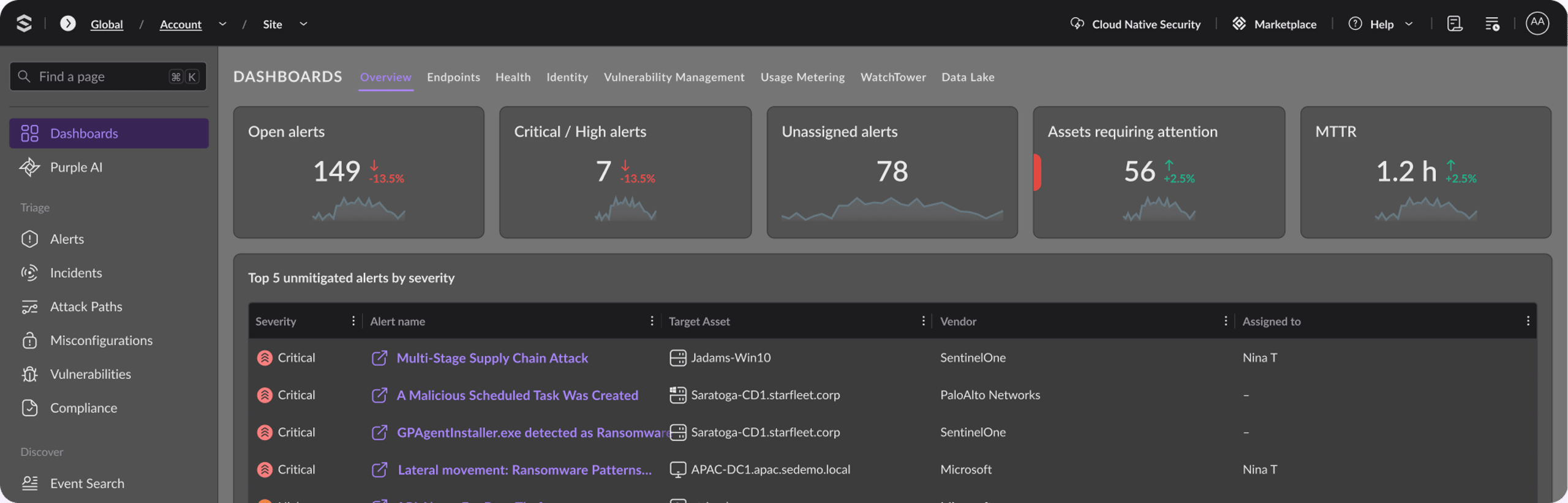
Securing remote access across a distributed workforce requires visibility, speed, and correlation that siloed tools cannot deliver. The Singularity™ Platform unifies endpoint, identity, and cloud telemetry into a single console, so you can investigate a suspicious VPN login and the endpoint activity that follows without pivoting across multiple systems.
For teams drowning in noise, quantified efficiency matters. In MITRE ATT&CK Evaluations, SentinelOne produced 88% less noise than the median across all vendors, which directly reduces triage workload and lets analysts spend time on real remote-access intrusions. Storyline telemetry automatically reconstructs process and connection chains, giving you faster root-cause analysis when an attacker uses a remote session to pivot.
When a compromised credential triggers lateral movement at 2 AM, you need autonomous response, not manual correlation across five dashboards.
SentinelOne behavioral AI flags suspicious post-login activity, such as unusual process execution after an RDP session or credential dumping following VPN access. Singularity™ Identity extends that protection to your identity infrastructure, finding in-progress attacks against Active Directory and Entra ID with real-time defenses. Singularity™ Identity also continuously scans for weak, exposed, and compromised credentials, offering automated responses to remediate these credentials. It also does this across on-prem (Active Directory) and cloud environments (like Entra ID, Okta, Ping, SecureAuth, and Duo).
For investigation speed, Purple AI turns natural language into scoped hunts across your environment. Early adopters report that Purple AI makes threat hunting and investigations up to 80% faster. That speed matters when you need to answer questions like: "Show me all RDP sessions from unmanaged devices in the last 48 hours."
Request a SentinelOne demo to see how the Singularity Platform strengthens remote access visibility and response in your environment.

Reduce Identity Risk Across Your Organization
Detect and respond to attacks in real-time with holistic solutions for Active Directory and Entra ID.
Key Takeaways
Remote access is where identity, endpoint posture, and network controls converge, and attackers target every seam with VPN appliance zero-days, credential-stuffing against exposed RDP, session hijacking after authentication, and supply-chain attacks against remote management tools. You reduce that risk by following remote access best practices: hardening VPN, SSH, and RDP controls; enforcing phishing-resistant MFA; verifying device posture; and applying least privilege with segmented access.
If your program still relies on "VPN plus MFA," assume an attacker can pivot after login, and for a practical map of how credential theft turns into domain-wide impact, SentinelOne's ransomware guide covers the adjacent tactics you will see during remote-access-driven intrusions.
FAQs
No. VPN authenticates users at connection time and encrypts traffic in transit, but it does not enforce least privilege after login. Once connected, users often inherit broad network access, which makes lateral movement straightforward when credentials are stolen or a session is hijacked.
Closing this gap requires segmentation to limit what a session can reach, device posture checks to verify what it connects from, and continuous monitoring to catch post-login abuse before it reaches critical assets.
The highest-frequency risks are credential theft and session abuse. Stolen credentials give attackers authenticated VPN or RDP access without triggering perimeter controls. Session hijacking, as demonstrated by CitrixBleed (CVE-2023-4966), lets attackers bypass MFA entirely using valid session tokens.
Third-party access abuse, unpatched remote access appliances, and supply-chain attacks against remote management tools complete the picture. Each attack pattern has a direct hardening control, but risk compounds quickly when multiple gaps exist simultaneously.
MFA verifies that the person connecting is who they claim to be, not just someone who knows the password. For remote access, it is the primary control stopping credential-stuffing and brute-force attacks from succeeding.
However, MFA quality matters as much as MFA presence. SMS and push-based methods are vulnerable to real-time phishing proxies and push fatigue attacks. Phishing-resistant methods based on FIDO2 or PKI certificates eliminate those weaknesses and are the standard NSA and CISA recommend for enterprise remote access.
Unmanaged personal devices, contractor-owned laptops, and BYOD endpoints carry the most risk because you cannot verify their patch status, installed software, or configuration baseline. Attackers target these devices knowing organizations often extend the same network access to them as to managed corporate assets.
Route unmanaged devices through a brokered access path that checks posture before opening any session, and restrict which resources they can reach even after passing posture checks.
Start where exposure and exploitation probability overlap. If RDP is internet-reachable, block port 3389 immediately and force access through a brokered path. Next, audit VPN appliances for unpatched CVEs, weak authentication, and legacy crypto.
Then tackle SSH at scale by inventorying keys and centralizing issuance and rotation. Prioritize based on internet exposure, privilege level, and your incident history.
Treat perimeter remote access systems as emergency patch candidates because attackers weaponize them quickly. CISA has documented exploitation occurring within 9 to 13 days of disclosure, which means monthly cycles leave a wide window.
For internet-facing VPN gateways, RDP brokers, and SSH bastions, target a single-digit day patch window including validation and rollback planning. If you cannot patch fast, reduce exposure with compensating controls.
Focus on behavior and session context, not just login success. Baseline normal patterns such as source geolocation, device type, time-of-day, and typical resources accessed.
Then flag anomalies like impossible travel, unusual admin tool launches after remote login, or sudden access to high-value file shares. Combine VPN, endpoint, and identity telemetry so you can correlate the remote session to post-login activity.
Discover More About Identity Security




Ready to Revolutionize Your Security Operations?
Discover how SentinelOne AI SIEM can transform your SOC into an autonomous powerhouse. Contact us today for a personalized demo and see the future of security in action.