What Is RBAC (Role Based Access Control)?
Role-Based Access Control (RBAC) enhances security by limiting access. Learn how to implement RBAC effectively in your organization.

Role-Based Access Control (RBAC) is a method for managing user permissions based on roles within an organization. This guide explores the principles of RBAC, its benefits, and how it enhances security and efficiency.
Learn about the implementation of RBAC and best practices for managing user roles and access. Understanding RBAC is crucial for organizations to maintain control over sensitive information and resources.
A Brief Overview of Role Based Access Control (RBAC)
RBAC is a robust access control model used in cybersecurity to manage and regulate user access to digital resources and systems based on their roles and responsibilities within an organization. It involves a well-defined structure where permissions and privileges are associated with specific roles, rather than assigned to individual users.
RBAC originated in the 1970s when researchers and practitioners began to recognize the need for a more structured and efficient way to manage access to computer systems. The concept evolved to address the shortcomings of earlier access control models, which often relied on discretionary access control (DAC) or mandatory access control (MAC) schemes. Instead, RBAC offered a more flexible and scalable solution, allowing organizations to tailor access privileges to job functions and responsibilities.
Today, RBAC is widely used across various industries and sectors to establish a systematic framework for managing access permissions. Key components of RBAC include:
- Roles – Roles are defined based on job functions or responsibilities within an organization.
- Permissions – Permissions represent specific actions or operations that users can perform within a system or application. These can range from reading a file to modifying system settings.
- Role Assignments – Users are assigned to one or more roles, and each role is associated with a set of permissions. This determines what actions users can perform based on their roles.
- Access Control Policies – RBAC relies on policies that dictate which roles can access particular resources and what actions they can take. These policies are defined and enforced by administrators.
RBAC’s significance stems from its ability to address the ever-present challenge of managing access and permissions in modern digital environments. It helps organizations mitigate the risk of unauthorized access, data breaches, and insider threats by ensuring that individuals are granted only the minimum level of access necessary to perform their job functions. This not only enhances security but also simplifies the management of user permissions and reduces the potential for errors in access control. Growing organizations also rely on RBAC as their internal structures change as it can scale to accommodate new roles and responsibilities.
Understanding How Role Based Access Control (RBAC) Works
RBAC works by defining and enforcing access policies based on users’ roles and responsibilities within an organization. RBAC simplifies access management, enhances security, and ensures that individuals are granted only the permissions necessary for their job functions.
Role Definition
RBAC starts with the creation of roles that represent job functions or responsibilities within an organization. These roles are typically defined by administrators and can encompass a wide range of responsibilities, from basic user roles to more specialized roles like system administrators or database administrators.
Permission Assignment
Once roles are established, each role is associated with a set of permissions. Permissions represent specific actions or operations that users can perform within a system, application, or resource. These permissions are finely granular and can include actions like read, write, execute, or even more specific operations within an application.
Role Assignment
Users or entities are then assigned to one or more roles based on their job functions or responsibilities. This role assignment determines the set of permissions that users will have. Users can belong to multiple roles if their responsibilities span multiple areas within the organization.
Access Control Policies
RBAC relies on access control policies that define which roles can access specific resources or perform specific actions. These policies are enforced by access control mechanisms, such as the operating system, application, or database management system.
Access Decisions
When a user attempts to access a resource or perform an action, the RBAC system checks the user’s role(s) and the associated permissions. It then compares this information with the access control policies to determine whether the access request should be granted or denied.
Dynamic Role Assignment
RBAC can also support dynamic role assignment based on context or conditions. For example, a user’s role may change temporarily when they are conducting a specific task or when they are accessing a particular system. This dynamic assignment ensures that users have the necessary permissions only when needed.
Auditing and Logging
RBAC systems often include auditing and logging capabilities to track user activities. This helps organizations monitor access and detect any unauthorized or suspicious actions. Auditing also plays a crucial role in compliance and security incident investigations.
Exploring the Benefits & Use Cases of Role Based Access Control (RBAC)
RBAC is widely used in businesses across various industries to manage access to digital resources and systems. Business leaders use it to simplify access management, enhance security, and promote compliance with regulatory requirements.
- User Access Management – RBAC helps organizations efficiently manage user access by categorizing individuals into roles based on their job functions. For example, an organization may have roles like “employee,” “manager,” and “administrator.” Users are then assigned to one or more roles, which determine their access permissions.
- Data Security & Compliance – RBAC plays a pivotal role in protecting sensitive data. It ensures that only authorized individuals, based on their roles, can access confidential information. This is especially critical in industries like healthcare, finance, and government, where data privacy and security regulations are stringent.
- Least Privilege – RBAC ensures the principle of least privilege, meaning that users are granted only the permissions necessary for their roles. This minimizes the attack surface and reduces the risk of unauthorized access or data breaches.
- Cloud Services – RBAC is employed in cloud computing environments to control access to cloud-based resources and services. Cloud platforms like AWS, Azure, and Google Cloud offer RBAC features to help organizations secure their cloud infrastructure.
- Scalability – RBAC is scalable and adaptable to evolving organizational needs. As new roles or responsibilities emerge, administrators can easily define and assign them within the RBAC framework.
- Enhanced Security – RBAC enhances security by providing a structured approach to access control. This reduces the potential for human error in granting or revoking permissions and helps prevent insider threats.
Key Considerations for New Users
- Role Definition – Start by defining clear and meaningful roles within your organization. Roles should align with job functions and responsibilities.
- Permission Mapping – Identify the permissions needed for each role. Determine what actions users in each role should be able to perform.
- Role Assignment – Carefully assign users to roles based on their responsibilities. Ensure that users are not assigned to roles that grant unnecessary permissions.
- Regular Review – Periodically review and update role assignments to account for changes in job roles or responsibilities. This ensures that access remains aligned with users’ actual job functions.
- Auditing & Monitoring – Implement auditing and monitoring tools to track user activities and detect any unauthorized or suspicious actions. This is crucial for security and compliance purposes.

Reduce Identity Risk Across Your Organization
Detect and respond to attacks in real-time with holistic solutions for Active Directory and Entra ID.
Conclusion
RBAC is a versatile tool for businesses seeking efficient access management, enhanced security, and regulatory compliance. By adopting RBAC, organizations can streamline access control, reduce security risks, and ensure that users have appropriate permissions based on their roles and responsibilities. For new users, understanding the basics and best practices of RBAC is the first step towards harnessing its advantages in securing digital assets and resources.
Role Based Access Control FAQs
RBAC is a method for restricting system access to authorized users. You define roles based on job duties—like “Database Admin” or “Help Desk”—and attach permissions to each role. When you add someone to a role, they inherit its rights, so you don’t assign permissions user by user.
First, you map out roles that match tasks in your organization. Next, assign sets of permissions—such as read, write, or delete—to each role. Finally, you place users into roles. Whenever a user tries an action, the system checks their role’s permissions and allows or denies the request accordingly.
RBAC cuts down on over-privileged accounts by ensuring users only have the access they need—no more, no less. That shrinks your attack surface, limits damage if an account is compromised, and makes audits straightforward since you can see who has which rights at a glance.
- Roles: Named collections of permissions (e.g., “HR Manager”).
- Permissions: Specific rights to perform actions on resources.
- Users: Individuals or services assigned to roles.
- Sessions: Instances of a user’s active role memberships during a login.
Start by defining clear roles aligned to real job functions. Use the principle of least privilege when setting role permissions. Review roles and memberships regularly, especially after personnel changes. Automate provisioning and de-provisioning through your identity system to avoid stale access.
Beware of role explosion—too many roles can become as hard to manage as individual permissions. Avoid overly broad roles that give more access than needed. Keep an eye on shared or inherited roles that mask true privileges, and watch for gaps when users hold multiple roles.
RBAC provides a solid baseline of clear, role-driven permissions. In a Zero Trust model, you add continuous verification and device posture checks on top of RBAC. Compared to Attribute-Based Access Control (ABAC), which uses dynamic attributes, RBAC is simpler—though you can combine them so roles apply only when certain conditions are met.
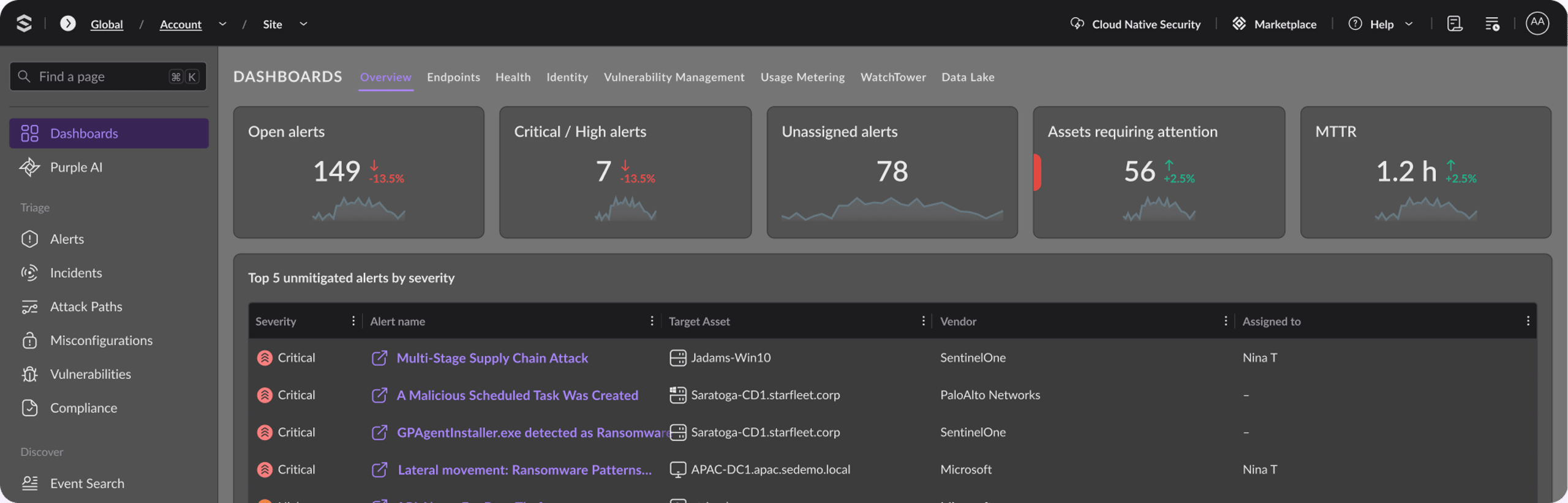
SentinelOne’s Singularity platform enforces RBAC by letting you define custom roles—each with fine-grained controls for carrying out actions like incident investigation or policy changes. You assign users or service accounts to those roles in the console. Audit logs track who did what and when, so you get clear accountability and can adjust roles as your team evolves.
Discover More About Identity Security




Ready to Revolutionize Your Security Operations?
Discover how SentinelOne AI SIEM can transform your SOC into an autonomous powerhouse. Contact us today for a personalized demo and see the future of security in action.