What is Spear Phishing? Types & Examples
Do you want to know what is spear phishing in cyber security? Learn about the different types of spear phishing emails companies get and how to defend against spear phishing attacks.

Spear phishing is a targeted attempt to steal sensitive information through deceptive emails. This guide explores how spear phishing works, its tactics, and the risks it poses to individuals and organizations.
Learn about effective strategies for detection and prevention. Understanding spear phishing is crucial for safeguarding personal and organizational data.
This article looks closely at spear phishing: how these attacks typically work, how to identify them, the differences between spear phishing and other phishing attacks, and how organizations can defend themselves against them.
We’ll take a look at spear phishing meanings and really understand what is spear phishing in cyber security. You’ll get insights on the differences between phishing and spear phishing and whaling vs. spear phishing. We’ll also go over some spear phishing prevention strategies and tell you what works and what doesn’t. Soon, you will know what is a spear phishing attack, be aware of the different types of spear phishing attacks, and take the best initiatives automatically to defend against them.
What Is Spear Phishing?
Spear phishing is a personalized cyberattack where an attacker will impersonate a trusted sender to trick a trusted member of the organization.
According to spear phishing definition, its objective is to:
- Steal sensitive data and get hands on credit card numbers, SSNs, and other login credentials
- Trick victims into making unauthorized wire transfers and payments
- Distribute malware, infect devices with keyloggers, ransomware, and spyware
- Steal trade secrets and confidential intellectual property. You can also define spear phishing as a way to gain unauthorized access to corporate and other organizational networks.
Spear Phishing Attack Examples
Spear phishing is a particularly effective type of cyberattack because it relies on social engineering techniques to trick victims into revealing sensitive information or taking actions that allow hackers to gain access to their systems.
One example of a spear phishing attack is the 2021 attack targeting Ukrainian government agencies and NGOs. A Russian government-linked cyberespionage group known as Gamaredon posed as trusted contacts and used spear phishing emails that contained malware-laced macro attachments. The emails also included a tracking “web bug” to monitor whether messages were opened. Although the ultimate objective of this spear phishing attack is still unknown, the malware family used is often attributed to data exfiltration from compromised hosts.
Another example of a spear phishing attack is the one that targeted Puerto Rican government agencies in 2020. A threat actor hacked into the computer of an employee at the Employee Retirement System and sent emails to various government agencies alleging a change in bank accounts. An employee from the Puerto Rico Industrial Development Company sent $2.6 million to a foreign account believing it was a legitimate bank account.
How Does Spear Phishing Work?
Threat actors rely on reconnaissance techniques in their research to increase the likelihood of a successful attack. As a result, spear phishing emails are often challenging to spot.
Spear phishers may frequent social media sites such as Facebook or LinkedIn to gather personal information about their target. Some threat actors even map out their target’s network of personal and professional contacts for additional context when crafting a “trustworthy” message. Sophisticated attackers even use machine learning (ML) algorithms to scan massive amounts of data and identify potentially lucrative targets.
Once equipped with enough personal information about their target, spear phishers can create a seemingly legitimate email that grabs the target’s attention. In addition to being personalized, spear phishing emails often employ an urgent tone of voice. This dangerous combination can cause recipients to let down their guard.
Here are the typical steps often involved in spear phishing attacks:
1. Information Gathering (Bait)
Finding personal information online can require very little effort. In many ways, social media’s popularity has contributed to the success of spear phishing attacks over recent years.
For example, LinkedIn profiles can contain places of employment and lists of coworkers. Even if a LinkedIn profile doesn’t publicly display an email address, it can make it easier for threat actors to find that information.
Other threat actors may use scripts to harvest email addresses from prominent search engines or lead-generation platforms to find the email addresses employees use for work. In some cases, threat actors may simply attempt to guess email addresses using standard work email conventions, such as firstinitiallastname@placeofwork.com.
In addition to the target’s email address, threat actors will also research the target’s organization and attempt to find out what software they may use.
2. The Request (Hook)
Once an attacker acquires the necessary information on their target, they can use it as bait to perform the desired action (e.g., clicking a malicious link or downloading a malicious file).
For a spear phishing email to arrive in the target’s inbox, the email must first get past any antivirus software. A quick search of the target’s organization can provide enough information about what antivirus and which version of it the employer uses. With this information in hand, threat actors can bypass cybersecurity defenses.
One common request tactic involves using fake invoices. In this scenario, a threat actor may send an email from a “trusted” source that says there’s a problem with an invoice. They may provide a link to a digital form and ask the target to add the correct information.
Although the digital invoice isn’t legitimate, it may look identical to the one the target typically uses to input financial information. Once the threat actor has the invoice payment information, they may use it to steal funds or sell that information on the dark web.
3. The Attack (Catch)
Threat actors are poised to attack once their bait and hook are both successful. Suppose the recipient provides confidential information (e.g., login credentials or payment information). In this case, attackers may use it to access networks and systems, elevate privileges, steal or compromise additional data, or even sell sensitive information on the dark web.
If the recipient installs malware, attackers may use it to capture keystrokes, block access to files, or exfiltrate data and hold it for ransom.

Enhance Your Threat Intelligence
See how the SentinelOne threat-hunting service WatchTower can surface greater insights and help you outpace attacks.
Spear Phishing vs. Phishing vs. Whaling
Spear phishing and phishing are far apart and then there’s whaling. Here is a comparison of spear phishing vs. phishing vs. whaling below.
| Aspect | Spear Phishing | Phishing | Whaling |
| Target | Aims for specific people within a company (e.g., Finance, HR). | It targets everyone, not just random individuals or organizations | Whaling targets high-level executives (C-suite, Board members) |
| Primary Goal | Quality over quantity; compromise one specific user. | Quantity over quality; maximize potential victims. | High-value, immediate financial or data payouts. |
| Objective | Gain network access or steal specific data. | Steal low-level credentials or deploy malware. | Execute large wire transfers or leak trade secrets. |
| Attack Mode | Emails reference the target's job role or vendors. They appear to be genuine and well crafted. | Generic emails, fake login pages, and spam. | Can be a mix of formal letters, legal threats, or push for acquisition deals. |
| Level of Personalization | High. Every word is well thought and emails look real. They reference colleagues and actual ongoing insider projects | Not much personalization, very low. Includes "Dear Customer" or generic fear tactics | Very High. Mirrors business-critical legal/financial docs. |
Spear Phishing Types
A closer look at spear phishing examples may help illustrate how threat actors typically implement the above steps.
Fake Requests
Threat actors may send emails containing a direct request for information or funds. These requests can also include links or attachments but the goal of these emails is to glean sensitive information directly from the recipient.
For example, the town of Franklin, Massachusetts, accidentally misdirected a payment of US$522,000 in 2020 after threat actors persuaded an employee to provide secure login information.
Fake Websites
Threat actors may also send emails containing links to spoofed websites. The spoofed website might imitate the layout of a reputable site to trick the target into divulging confidential information such as account credentials or financial information. The threat actor can then use that information to steal directly from the target, use the target’s credentials to access enterprise networks or systems, or sell that information on the dark web.
For example, since the introduction of PayPal, there’s been a sharp increase in fraudulent email messages alerting users that someone has purchased something with their PayPal account. Clicking the link to these emails often takes the recipient to a spoofed PayPal website where threat actors can steal any login information entered.
Fake Attachments
Malware attachments often come in the form of a fake invoice or delivery notification. The attacker may urge the recipient to open it as quickly as possible to avoid negative consequences. Once the recipient opens the attachment, it can deliver malware to the target’s device which can then spread to the network and other devices.
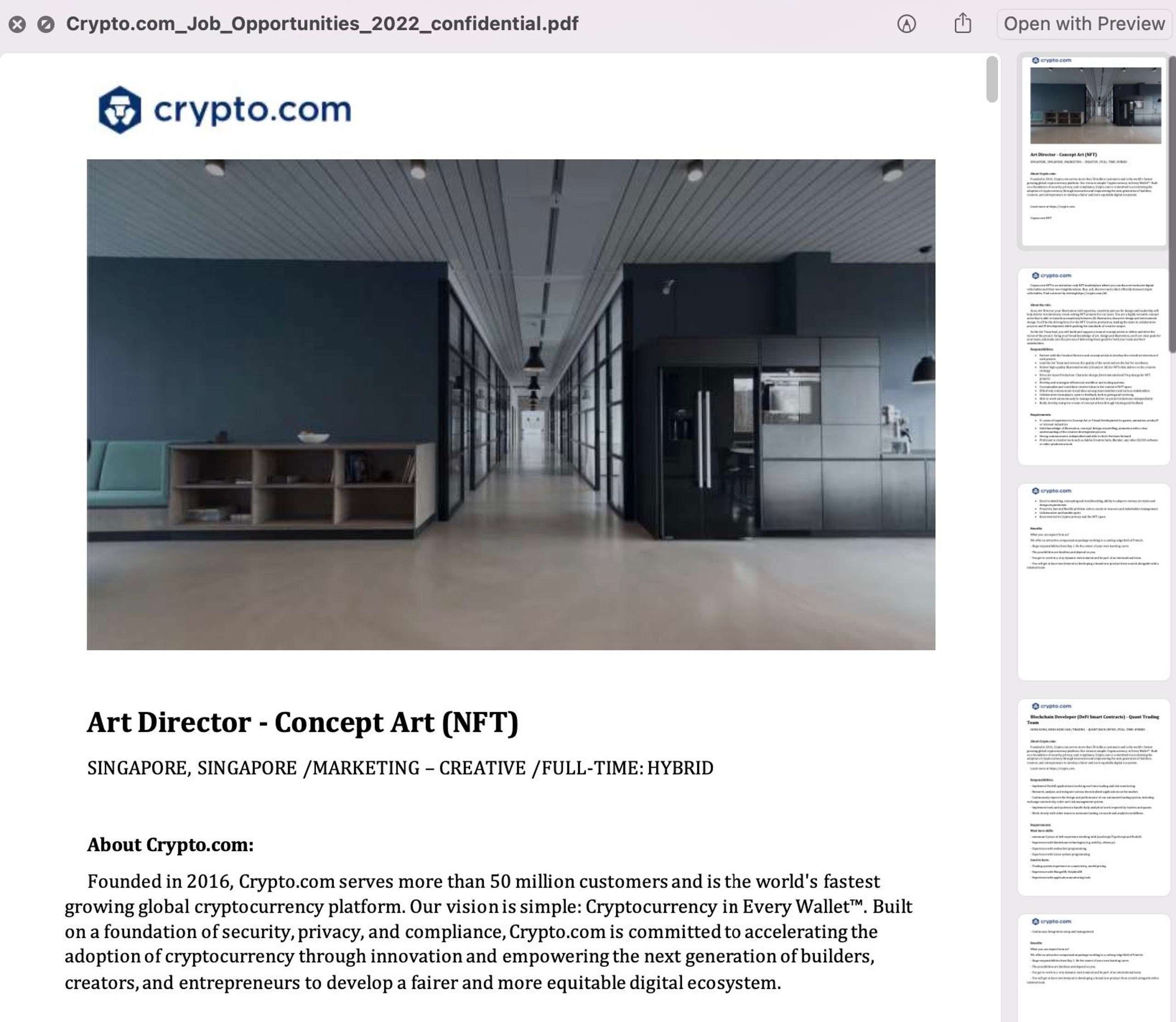
For example, North Korea’s Lazarus Group has an ongoing campaign using lures for open positions at Crypto.com to distribute macOS malware.
How to Identify a Spear Phishing Attack
The best way to prevent a spear phishing attack is to identify a spear phishing email before clicking any links or opening any attachments. Becoming familiar with the indicators of a spear phishing attempt can help organizations and their employees avoid the consequences of a successful attack.
Here are some common red flags that may indicate a spear phishing attack:
Sender
Examine incoming emails to determine if they come from legitimate senders. Common signs the sender may be performing a spear phishing attack include:
- An unrecognized email address or sender.
- An email address outside the recipient’s organization.
- An email address from a sender inside the organization with which the recipient doesn’t typically communicate.
- An email address from a suspicious domain.
Recipients
Next, look to see who else is on the recipient list. Indicators of a spear phishing email may include:
- A recipient list containing other unrecognized email addresses.
- A recipient list with an unusual mix of people (e.g., a random group of recipients or a group of recipients whose last names all start with the same letter).
Date & Time
Check to see when the sender sent the email. Signs of a spear phishing email could include:
- An email is sent on an unusual date (e.g., a weekend or a holiday).
- An email is sent at an unusual time (i.e., not during usual business hours).
Subject
The subject line of an email can tell a recipient a lot about whether or not the email is fake. Spear phishing emails may contain the following:
- An unusually urgent subject line.
- A subject line that is irrelevant or does not match the rest of the email.
- A reply to something never sent or requested.
Hyperlinks & Attachments
Before clicking links or downloading attachments in emails, look for common signs of spear phishing, including:
- A hyperlink that shows a link-to address for a different website when a mouse hovers over it.
- A long hyperlink with no further instructions.
- A hyperlink with typos that are not obvious at first glance.
- An email attachment that is unexpected or doesn’t make sense in the context of the email’s content.
- An attachment with a possibly dangerous file type.
- An attachment with no further instructions.
Content
If everything else checks out, look closely at the email’s content. Spear phishing emails are often well-crafted, and since they are also personalized, it can be challenging to identify them based on content alone.
However, keep in mind the following indicators of a spear phishing email when reading the message’s body:
- The email has an unusual sense of urgency.
- The email requests sensitive information.
- The email asks the recipient to click a link or open an attachment to gain something valuable or to avoid a negative consequence.
- The email contains spelling or grammar mistakes.
- The email contains unsolicited links or attachments.
- The email attempts to panic the recipient.
Examples Of Spear Phishing
Here are some examples of spear phishing attacks that happened in 2026. Let’s check them out below:
- A North Korean threat actor known as "Kimsuky" had targeted US think tanks and academic institutions recently. They released spear phishing emails on January 2026 and forced victims to scan codes using their mobile devices. All their emails contained malicious QR codes and they bypassed enterprise email security filters easily.
- The MuddyWater "RustyWater" Attack is another spear phishing incident that happened in January 2026. It was linked to an Iranian group that had an agenda against Middle Eastern financial and diplomatic entities. Their spear phishing emails carried a new Rust-based Remote Access Trojan (RAT) and evaded traditional endpoint detection systems.
- UNK_InnerAmbush went for the Middle Eastern government and diplomatic organizations from March 1, 2026. It used high-urgency themes related to regional conflicts to trick victims into downloading password-protected archives that were hosted on Google Drive accounts.
- Another spear phishing campaign that happened in March 2026 was the HR recruitment malware one. This campaign targeted HR stuff by sending fake job applications. The spear phishing emails included links to Dropbox cloud storage and ISO files that were loaded with malware which could disable security software.
How to Defend Against Spear Phishing Attacks
Here are some spear phishing tips organizations can use to strengthen their cybersecurity defenses.
Recognize the Signs of Spear Phishing
The best way to prevent any phishing attack is to identify a phishing email before anyone clicks a link, downloads an attachment, or any other requested action.
If a target’s first instinct is that an email is fake or attempting a scam, they’re probably right. Start by checking the legitimacy of the sender. Then, attempt to verify the claims within the email directly with the source. Next, examine the email’s content and look for the signs of spear phishing (listed in the above section). If the email appears phony upon further inspection, report it to appropriate team members.
Provide Security Awareness Training
Remembering to closely examine every email to recognize the signs of spear phishing can take time and effort. Providing security awareness training for employees can help them develop the skills necessary to spot, avoid, and report phishing emails regularly.
These programs are vital as an increasing number of employees work from home. However, even the best-trained and most security-aware employees may fall for phishing emails in a hurry or if the email is persuasive. Phishing simulations can help employees practice what they learned during security awareness training. This exercise will also help organizations measure how well their employees understand phishing attacks to improve their training courses.
Conduct Regular Research
Proactive investigations may help organizations identify suspicious emails with content commonly used by attackers (e.g., subject lines referring to password changes). Companies can regularly patch, properly configure, and integrate remote services, VPNs, and multi-factor authentication solutions.
Organizations can also scan properties of received email messages (including the Attachment Detail property) for malware-related attachment types and automatically send them to be analyzed for additional malware indicators.
Implement Security Tools to Help
Fortunately, there are tools available to help prevent spear phishing emails from ever reaching a target’s inbox. While email providers may build some of these tools into their platform, it’s still likely some phishing emails will get through to employees without additional security to eliminate security gaps.
An extended detection and response (XDR) platform, for example, can actively monitor every layer of a network to catch malware before it does any damage.
Prevent Spear Phishing Attacks with SentinelOne
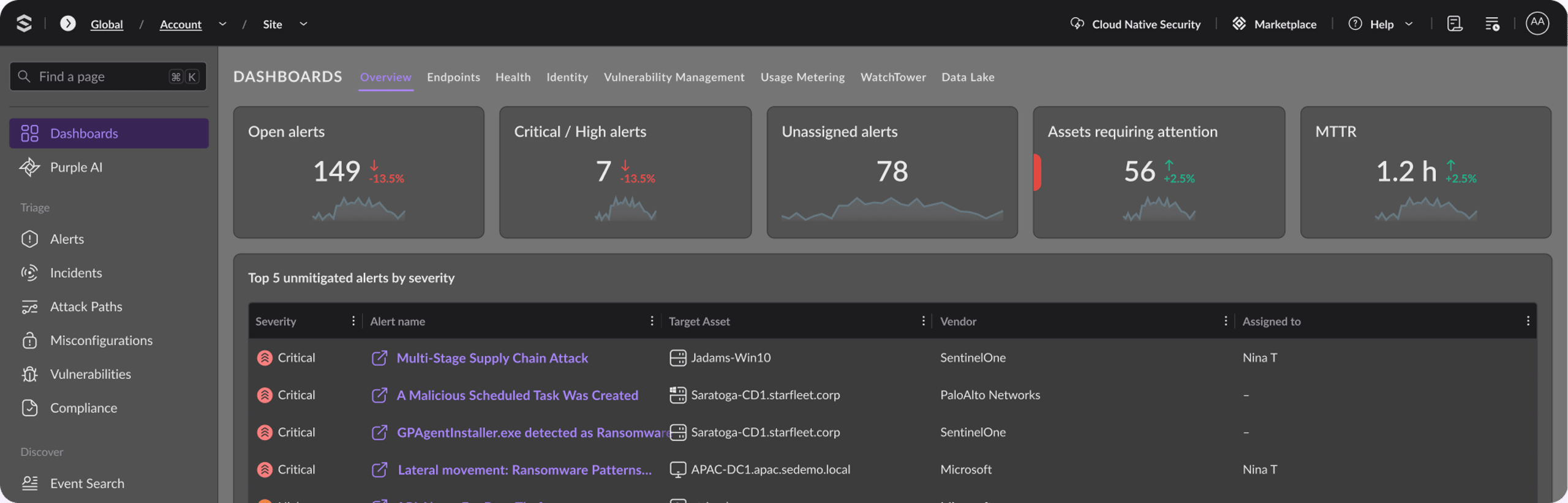
SentinelOne’s Singularity XDR platform helps organizations see, protect, and resolve security incidents, including spear phishing attacks before they unfold.
With Singularity™ XDR, organizations can eliminate blindspots so security teams can see data collected by disparate security solutions from all platforms in a single dashboard.
SentinelOne’s behavioral engine tracks all system activities across environments, detecting techniques and tactics that indicate malicious behavior and automatically correlates related activity into unified alerts.
A single, unified platform for extended threat detection, investigation, response, and hunting, Singularity™ XDR provides:
- A single source of prioritized alerts that ingests and standardizes data across multiple sources
- A single consolidated view to quickly understand the progression of attacks across security layers.
- A single platform to rapidly respond and proactively hunt for threats.
SentinelOne's ActiveEDR and Storyline technology can automatically link related events. The company can block memory-based attacks and exploits often hidden in weaponized documents (like fake invoices or resumes) which are commonly used in spear phishing attacks.
If a ransomware gets deployed via spear phishing, SentinelOne can automatically revert files to pre-infected states using its patented rollback feature. Its platform can isolate compromised devices from networks and prevent lateral movement.
Singularity™ Identity can detect identity-based threats and tell you when your credentials have been compromised. It can inventory all your accounts and spot inactive, dormant, and duplicate users on networks. Prompt Security by SentinelOne can catch LLM-based threats, so if an attacker tries to launch spear phishing attacks with AI, SentinelOne can flag it. It can prevent LLM models from being poisoned, prevent prompt injection attacks, and block any unauthorized agentic AI actions tied to spear phishing attacks.
Discover how SentinelOne protects some of the world’s industry-leading organizations from spear phishing attacks, and sign up for a demo today.
Spear Phishing FAQs
Spear phishing is a targeted email scam aimed at a specific person or group to steal sensitive data or install malware. Attackers research their victim—using public profiles or company sites—to craft messages that look like they come from a trusted source. These emails often reference real projects or contacts to build trust. When the victim clicks a link or opens an attachment, credentials or system access can be compromised.
Standard phishing is a numbers game. Attackers cast a wide net with generic messages about "suspended accounts" hoping anyone bites. Spear phishing is the opposite. It’s a precision strike. The attacker picks a target, learns their habits, and writes a specific email.
For example, a standard phishing email says "Dear Customer," but a spear phishing email might say "Hey Mark, can you review the Q4 vendor list?" That personal touch makes it dangerous.
Attackers usually impersonate someone you trust, like your CEO or a vendor you use. They might use a lookalike domain (like `@companY.com` instead of `@company.com`) to trick you. A common tactic is thread hijacking, where they insert themselves into a real email conversation you were already having.
They also use urgency, pressuring you to approve a fake invoice or reset a password before you have time to think twice.
No, it is not. Attackers can follow you to other channels. You might get a text message (smishing) that looks like it’s from your IT director, or a voice call (vishing) where they use AI to clone a colleague's voice. There is also "quishing," where they send you a QR code to scan. Since you scan it on your phone, it often bypasses your work computer's security controls entirely.
You have Email phishing, which is the bulk spam you see daily. Then there is Spear phishing, the targeted version. Smishing is phishing via SMS text messages. And Vishing is voice phishing, where scammers call you, sometimes using deepfake audio to sound like your boss demanding an urgent wire transfer.
First, check the sender's email address closely. It might have a slight misspelling. Look at the tone—does it sound like your coworker, or is it off?
They often create a false sense of urgency, like a "request" to buy gift cards right now. Hover over any links without clicking. If the URL looks like a random string of letters, don't trust it. If the request seems odd, it probably is.
Spear phishing is the method used to steal credentials or drop malware. Business Email Compromise (BEC) is usually the *goal* after a successful spear phish.
In a BEC attack, the criminal has already gotten in. They might compromise a real executive's email account and use it to send legitimate-looking payment requests to finance, redirecting payroll or vendor payments to their own bank account.
Vishing is voice phishing. It is when an attacker calls you pretending to be from the help desk, your bank, or even a family member. With AI voice cloning in 2026, they only need a few seconds of audio from social media to mimic someone you know.
They might call and say your account is compromised, asking you to read back a multi-factor authentication code, which they then use to break into your systems.
Discover More About Threat Intelligence



Ready to Revolutionize Your Security Operations?
Discover how SentinelOne AI SIEM can transform your SOC into an autonomous powerhouse. Contact us today for a personalized demo and see the future of security in action.