Types of Endpoint Security: Key Solutions Explained
With the growth of remote work and connected devices, securing endpoints like phones, laptops, and IoT devices is critical to safeguarding data, ensuring compliance, and maintaining business continuity.

As organizations embrace a remote-first or hybrid work model and the number of connected devices skyrockets, securing endpoints has become a top priority for IT teams worldwide. Each endpoint, whether it’s a smartphone, laptop, desktop, or IoT device, represents a potential entry point for cybercriminals.
Endpoint security is no longer just an option; it must protect sensitive data, maintain regulatory compliance, and ensure business continuity.
 What Is Endpoint Security?
Endpoint security refers to strategies and practices designed to safeguard individual devices, or “endpoints,” including desktops, laptops, smartphones, tablets, and IoT devices, from cyber threats. The primary goal of endpoint security is to prevent malicious activities such as malware, ransomware, phishing, unauthorized access, and data exfiltration from compromising network security.
Modern endpoint security solutions have evolved from basic antivirus software into comprehensive, multi-layered systems. These systems offer real-time protection, automated responses, and detailed reporting.
 What is an Example of Endpoint Security?
A common example of endpoint security is antivirus software, which scans devices for malicious files or suspicious activities. However, as threats have grown in complexity, so has endpoint security. Therefore, incorporating technologies like firewalls, intrusion detection systems (IDS), and endpoint detection and response (EDR) solutions to provide enhanced protection against sophisticated threats is a necessity.
For instance, an organization may employ EDR software to monitor endpoints for behavioral anomalies continuously. It then investigates alerts and responds swiftly to neutralize threats before they escalate.
Types of Endpoint Security
Securing endpoints requires a comprehensive, layered approach that incorporates a variety of tools and techniques. There are 12 types of endpoint security, each designed to address different aspects of endpoint vulnerability.
1. Antivirus and Anti-Malware Software
Antivirus software such as Next Generation Antivirus remains a fundamental layer of endpoint security. It detects, quarantines, and removes malware from devices before it can cause damage. These tools provide real-time scanning, scheduled scans, and threat detection based on known malware signatures.
Antivirus software scans for and removes malicious programs or malware, such as viruses, trojans, worms, and spyware. Modern antivirus tools use AI and machine learning to detect new malware strains that traditional methods may miss.
How to Implement
- Evaluate the Next Generation Antivirus solutions available in the market, focusing on real-time scanning, ease of use, and update frequency.
- Install the chosen antivirus software on all endpoint devices, including mobile devices.
- Set the software to automatically update virus definitions to stay ahead of emerging threats.
- Schedule regular scans and educate users about safe browsing and download practices to minimize risks.
2. Endpoint Detection and Response
Endpoint detection and response (EDR) solutions provide advanced detection of suspicious activities on endpoints by monitoring behaviors, detecting anomalies, and providing contextual insights into threats.
EDR solutions continuously monitor, detect, and respond to advanced cyber threats. They then offer visibility into endpoint activities and enable a rapid response to contain threats.
How to Implement
- Deploy an EDR solution that is compatible with your network architecture and integrates well with existing tools like security information and event management (SIEM).
- Enable continuous monitoring across all endpoints, and configure automated alerts for suspicious activities.
- Develop incident response protocols to handle detected threats effectively. Ensure your security team is trained on how to investigate and remediate these incidents.
3. Extended Detection and Response
Extended detection and response (XDR) builds on EDR by unifying data across various security layers—endpoint, network, email, and cloud—for broader visibility into threats across an entire organization.
XDR extends the capabilities of EDR by correlating data across multiple security layers, providing a more comprehensive security framework.
How to Implement
- Select an XDR solution that aggregates security data from various sources, including endpoint, network, email, and cloud security tools.
- Configure the platform to automatically detect and respond to threats using AI-driven algorithms for faster resolution.
- Regularly update rules and policies to ensure the XDR platform adapts to new security challenges.
4. Data Loss Prevention
Data loss prevention (DLP) systems prevent the unauthorized transfer of sensitive information from an organization’s network. This helps to avoid breaches that result in data leaks.
DLP prevents unauthorized users from sharing or transferring sensitive data. This ensures compliance with privacy laws and protects intellectual property.
How to Implement
- Deploy DLP software that scans outgoing communications (email, USB transfer, cloud uploads) for sensitive information.
- Set up rules to classify confidential data (e.g., credit card numbers, personal data) and configure the system to block or encrypt such transfers.
- Regularly review and audit data access patterns and adjust DLP policies to address potential vulnerabilities.
5. Mobile Device Management
Mobile device management (MDM) solutions enable IT administrators to manage and secure mobile devices used for work purposes.
MDM provides remote control over devices, enforces security policies, and ensures that corporate data is protected even on personal devices. MDM ensures that mobile devices are secure, whether they are corporate-owned or personal. This helps reduce risks associated with mobile work environments, such as data breaches or device theft.
How to Implement
- Set up an MDM platform that supports the range of mobile devices used in your organization (iOS, Android, etc.).
- Enforce security policies like requiring PIN codes, enabling device encryption, and setting up remote wipe functionality.
- Ensure all corporate-owned and bring-your-own-device (BYOD) endpoints are registered with the MDM platform, and monitor them for compliance.
6. Virtual Private Network
A VPN creates an encrypted connection between the endpoint and the corporate network. This allows remote workers to securely access internal systems while shielding their activities from cybercriminals.
A VPN protects data transmitted over unsecured networks like public WiFi.
How to Implement
- Deploy a VPN solution across all endpoints to secure remote access to your corporate network, especially for remote workers.
- Ensure the VPN enforces multi-factor authentication (MFA) to prevent unauthorized users from gaining access.
- Monitor VPN logs for unusual activity, and set bandwidth policies to ensure optimal performance.
7. Firewall Protection
Firewalls control the flow of network traffic to and from an endpoint. They filter out potentially harmful data based on predetermined rules. This acts as a barrier between the endpoint and external threats.
Firewalls block unauthorized access to network resources and can prevent malware from communicating with malicious servers.
How to Implement
- Use firewalls at the network perimeter and on individual devices to provide a comprehensive layer of defense.
- Configure firewalls with access rules that block traffic from suspicious IP addresses or unauthorized services.
- Regularly review firewall logs to identify and address suspicious activities.
8. Patch Management
Patch management involves regularly updating the software and systems on your network. This helps to fix vulnerabilities that could be exploited by attackers. Keeping systems up to date is one of the simplest and most effective ways to protect endpoints from cyber threats.
Regular patching reduces the risk of known vulnerabilities being exploited by cybercriminals. It’s also essential for maintaining compliance with regulatory frameworks.
How to Implement
- Implement a patch management solution that automatically deploys critical updates across all devices.
- Test updates in a controlled environment before deploying them to production systems to prevent compatibility issues.
- Continuously monitor endpoints for missing patches, and ensure that all devices are running the latest versions of software.
9. Disk Encryption
Disk encryption ensures that data on an endpoint’s hard drive is unreadable without the correct decryption key. This protects data in the event of a lost or stolen device from unauthorized access.
How to Implement
- Deploy solutions like BitLocker (for Windows) or FileVault (for macOS) to encrypt the entire hard drive.
- Configure devices to automatically encrypt their drives upon setup.
- Ensure encryption keys are stored securely, ideally in a hardware security module (HSM).
10. Intrusion Prevention Systems
An intrusion prevention system (IPS) works alongside firewalls and antivirus solutions to detect and block malicious traffic before it reaches the endpoint.
An IPS helps prevent attacks by identifying and stopping malicious traffic before it can exploit vulnerabilities on endpoints.
How to Implement
- Deploy IPS at network entry points to inspect all traffic coming into your organization.
- Ensure that your IPS is regularly updated with new threat signatures to stay current with evolving attack methods.
- Configure the IPS to automatically block traffic that matches known attack signatures.
11. Privileged Access Management
Privileged access management (PAM) restricts access to critical systems and data by limiting the number of users with elevated permissions.
PAM reduces the attack surface by limiting access to sensitive systems. This makes it more difficult for cybercriminals to exploit privileged accounts, which are often targeted in attacks such as ransomware or insider threats.
How to Implement
- Assign administrative privileges only to users who require them for their job function.
- Require MFA for users accessing privileged accounts to add an extra layer of security.
- Continuously review and audit privileged access to ensure it is being used appropriately.
12. Secure Email Gateways
A secure email gateway (SEG) acts as a barrier that scans incoming and outgoing emails for potential threats like phishing, malware, and spam. It helps prevent malicious emails from ever reaching an employee’s inbox.
 Secure email gateways protect the organization from email-borne threats. They are among the most common entry points for cyberattacks. This approach can significantly reduce the risk of phishing and malware infections.
How to Implement
- Configure the SEG to scan all emails for known malicious signatures, attachments, or suspicious links.
- Set policies to block email attachments that pose a high risk, such as executable files.
- Conduct phishing awareness training so employees can recognize and report suspicious emails.
SentinelOne for Endpoint Security
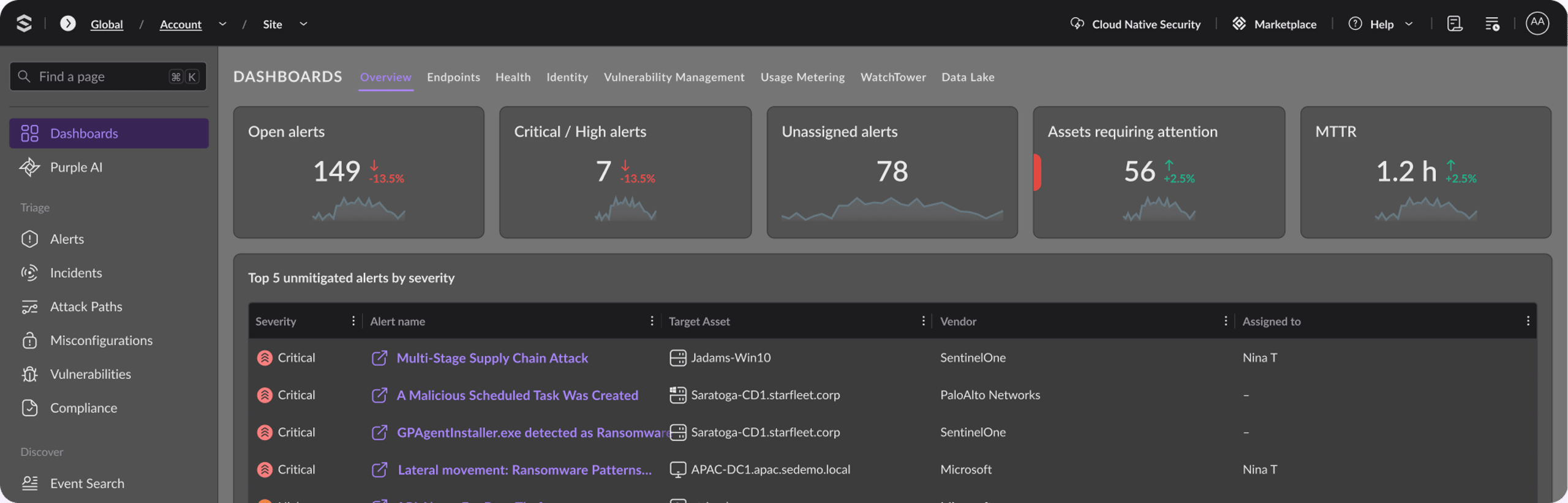
SentinelOne provides an advanced endpoint security solution that integrates multiple layers of protection, including EDR, XDR, and AI-driven threat detection. It offers real-time monitoring, behavioral analysis, and automated incident response, which are critical in detecting and mitigating both known and unknown threats.
With SentinelOne, organizations can benefit from:
- Automated threat detection and response—SentinelOne’s AI-driven system can autonomously detect suspicious activities and respond to them in real-time, reducing the burden on security teams.
- Comprehensive threat intelligence—By integrating data across endpoints, networks, and cloud environments, SentinelOne offers a holistic view of an organization’s security posture.
- Scalability—Whether you’re securing a small business or a large enterprise, SentinelOne’s platform is scalable to meet the demands of diverse IT infrastructures.
- Compliance support—SentinelOne helps organizations meet regulatory requirements for data protection and cybersecurity by ensuring comprehensive endpoint security.

Discover Unparalleled Endpoint Protection
See how AI-powered endpoint security from SentinelOne can help you prevent, detect, and respond to cyber threats in real time.
Wrapping Up
Endpoint security is an essential aspect of modern cybersecurity, protecting an organization’s devices from various threats like malware, ransomware, phishing, and data breaches. When organizations implement a multi-layered approach—incorporating solutions such as antivirus, EDR, VPNs, and patch management—they can significantly reduce their risk of attack and improve overall security posture.
From basic protections like antivirus software to more advanced solutions like XDR and EDR, every type of endpoint security serves a critical function. However, the key to effective endpoint security is integration and proper implementation. Organizations should adopt solutions that work in harmony and automate responses where possible to minimize risk and improve efficiency.
SentinelOne offers a comprehensive and automated endpoint security solution that not only detects and responds to threats in real-time but also scales with an organization’s needs, making it a valuable ally in the fight against cyber threats. By leveraging cutting-edge technologies, like AI and machine learning, SentinelOne ensures robust protection against even the most sophisticated attacks.
FAQs
Endpoint device security refers to the measures taken to protect endpoints—such as computers, smartphones, and IoT devices—from cyber threats. It includes various technologies and practices that prevent unauthorized access, malware infections, and data breaches on these devices.
Endpoint detection and response (EDR) is focused on monitoring and responding to threats at the individual device level. It provides detailed insights into endpoint activities. Extended detection and response (XDR), on the other hand, expands this by integrating data from multiple security layers such as networks, servers, and cloud environments to offer a more comprehensive view of the entire organization’s security landscape.
Patch management is critical because it ensures that all devices within an organization are updated with the latest security patches. This reduces the risk of known vulnerabilities being exploited by cybercriminals. Unpatched systems are a common target for attacks. This makes patch management a vital component of any endpoint security strategy.
A virtual private network (VPN) encrypts data transmitted between an endpoint and a corporate network, providing secure remote access for employees. By encrypting the data traffic, VPNs prevent attackers from intercepting sensitive information, especially in unsecured environments like public WiFi.
Yes, SentinelOne’s platform is designed to protect against zero-day threats using machine learning and artificial intelligence to detect unusual behavior patterns in real-time. These capabilities enable it to identify and mitigate threats before specific malware signatures are known, which is crucial for defending against emerging and unknown cyberattacks.
Discover More About Endpoint Security


Endpoint Security that Stops Threats at Faster Speed and Greater Scale Than Humanly Possible.
One intelligent platform for superior visibility and enterprise-wide prevention, detection, and response across your attack surface, from endpoints and servers to mobile devices.